Peugeot Rifter I Spare Wheel and Tyre Repair Kit
Hello and welcome. In this post, we'll look at what to do when you get a flat tyre on your Peugeot Rifter. We cover where the tools are kept, how to use the temporary puncture repair kit and how to fi
How the Peugeot Rifter keys, remote control, central locking, alarm and electric windows work, with back-up procedures and battery changes.
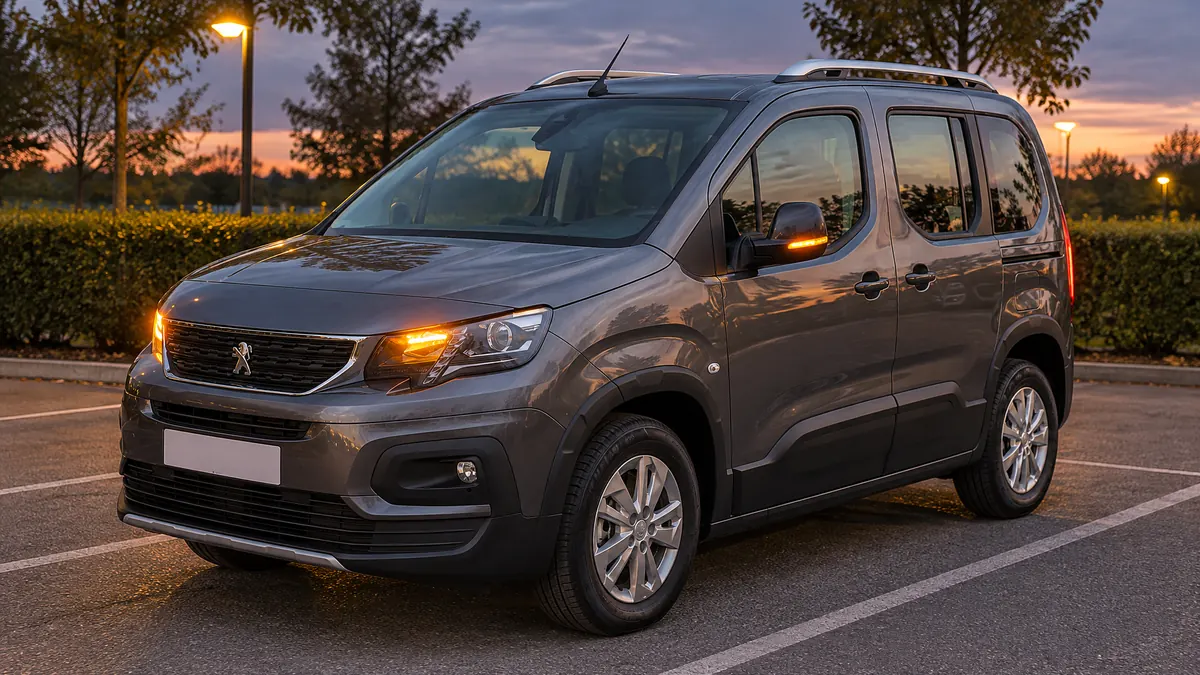
Hello and welcome. In this post, we'll look at the keys, doors and boot on the Peugeot Rifter I (2018-2025). It explains the remote control key, the Keyless Entry and Start system, the back-up procedures for when the remote control or battery fails, central locking, the alarm and the electric windows. Some features depend on the version or equipment fitted, so your Rifter may not have all of them.
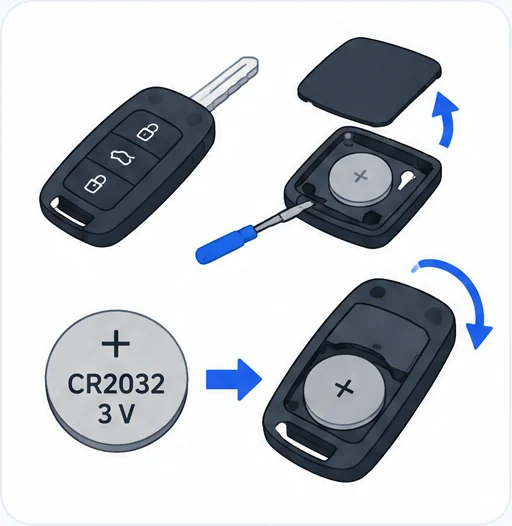
The remote key uses a CR2032 / 3 V battery. After fitting a new one, reinitialise the remote control.
Scroll the table sideways.
| Section | In short |
|---|---|
| Electronic key with remote control function and built-in key, | Remote key, Keyless Entry and Start, and built-in key |
| Back-up procedures | Lost keys, manual locking, battery change and reinitialising |
| Central locking / unlocking | Locking all doors or the loading area from inside |
| Alarm | Setting, partial setting and what the alarm lamp means |
| Electric windows | Window controls, anti-pinch, rear lock-out and reinitialising |
Depending on equipment, your Rifter has a remote control key or an electronic key for the Keyless Entry and Start system. Both contain a built-in key for back-up use.
Remote control key: it locks or unlocks the whole car centrally, either from a distance or using the door lock. It also helps you locate the car, opens and closes the fuel filler cap and charging flap, starts or switches off the engine and protects against theft. The remote control buttons do not work while the ignition is on.
Unfolding or folding the key: press the button on the key to unfold or fold it. If you do not press the button, you may damage the remote control.
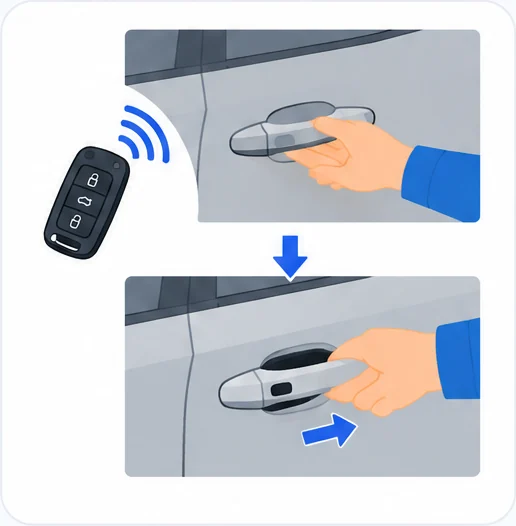
Keyless Entry and Start: this locks or unlocks the car centrally from a distance. It also helps you locate and start the car and protects against theft. With the electronic key on your person in recognition zone "A", you can unlock, lock and start the car. In the ignition on (accessories) position, selected with the "START/STOP" button, the hands-free function is deactivated and you cannot open the doors. For more on the ignition on position, see the starting and switching off section below.
Integral key: use it to lock and unlock the car when the remote control cannot work, for example:
To remove the integral key, hold the release button pulled across and take the key out of the unit. Once you have taken it out, always keep it with you so you can carry out the back-up procedures. If the alarm is set, opening a door with this key sets off the audible signal, which stops when you switch on the ignition.
Locating the car: with the car locked, press the locating button. The direction indicators flash for approximately 10 seconds and the courtesy lamps come on.
Remote lighting: a short press on the lighting button switches on the sidelamps, dipped beam headlamps and number plate lamps. Press it again before the end of the timed period to cancel it.
When locking does not happen:
Keyless Entry and Start safety:
Looking after the remote control:
Anti-theft and locking advice:
These procedures help when a key is lost, the remote control fails or the battery is flat.
Lost keys: go to a PEUGEOT dealer with the vehicle's registration certificate, your personal identification documents and, if possible, the label with the key code. The dealer can retrieve the key code and transponder code so a new key can be ordered.
Unlocking or locking the whole car with the key: use this if the remote control battery is flat, the remote control is faulty, the car battery is flat, or the car is in an area with strong electromagnetic interference. If the remote control battery is flat, change it. If the remote control is faulty, reinitialise it.
Central locking not working: use the following procedures if the central locking is faulty or the battery is disconnected or flat. If the central locking is faulty, you must disconnect the battery to make sure the car is fully locked.
Locking the front door, sliding side door or side-hinged doors:
Unlocking the front passenger door, sliding side door or side-hinged doors: use the interior opening control. With side-hinged doors, you can also insert the built-in key into the left-hand door lock and turn it. For more on the child lock, see child lock section.
Unlocking the tailgate:
If the battery is flat and your car has a tailgate and a Multi-Flex bench seat, you cannot reach the loading area. Replace the battery to regain access. If the tailgate is faulty or hard to open or close, have it checked by a PEUGEOT dealer or a qualified workshop straight away, as there is a risk of it dropping and causing serious injury.
Changing the remote control battery: when the battery is flat, a warning lamp comes on with an audible signal and a message. The battery type is CR2032/3 volts.
Battery safety:
Reinitialising the remote control: you may need to do this after changing the battery or if there is a fault.
Without Keyless Entry and Start:
The remote control now works fully again.
With Keyless Entry and Start:
If the fault is still there after reinitialising, contact a PEUGEOT dealer or a qualified workshop without delay.
The central locking button locks or unlocks all the doors at once from inside the car.
After locking from outside: when the car has been locked or deadlocked from outside, the button's indicator lamp flashes and the button does not work.
Manual mode: press the button to lock or unlock the car.
Automatic mode: the car locks automatically when you drive, also called anti-intrusion security. See anti-intrusion security section for details.
Locking and unlocking the loading area: this button is unavailable if the car has been locked or deadlocked from outside (with the key, remote control or Keyless Entry and Start, depending on equipment) or if a door is still open. For programming selective locking of the loading area, see key section.
Remember that driving with the doors locked could make it harder for the emergency services to get into the car in an emergency.
The alarm protects the car and deters theft and break-ins. It also checks its own components, and it is triggered if the battery, the button or the siren wiring is disconnected or damaged. For any work on the alarm, contact a PEUGEOT dealer or a qualified workshop.
What it monitors:
Interior volumetric monitoring is not compatible with the Additional heating/ventilation system, if fitted.
Setting the full alarm:
The red indicator lamp in the button flashes every second and the direction indicators come on for about 2 seconds. Exterior perimeter monitoring starts after 5 seconds, and interior volumetric and anti-tilt monitoring after 45 seconds. If a door, the tailgate or the bonnet is not properly closed, the car does not lock, but exterior perimeter monitoring starts after 45 seconds together with the other monitoring.
Switching the alarm off: press the unlocking button on the remote control, or unlock the car with Keyless Entry and Start. The indicator lamp goes off and the direction indicators flash for about 2 seconds. If the car locks itself again because no door or the boot is opened within 30 seconds, the alarm is reactivated too.
Exterior perimeter monitoring only: switch off the interior volumetric and anti-tilt monitoring to avoid false alarms, for example with a window or sunroof slightly open, when washing the car, changing a wheel, towing it or carrying it on a ship or ferry.
The red indicator lamp flashes once every second. You need to do this every time you switch off the ignition.
Turning interior monitoring back on:
When the alarm is triggered: the siren sounds and the direction indicators flash for 30 seconds. Depending on the country of sale, some monitoring stays active until the alarm has been triggered eleven times in a row. If the indicator lamp flashes rapidly when you unlock, the alarm went off while you were away. The flashing stops when you switch on the ignition.
If the remote control fails:
Locking without the alarm: lock or deadlock the car with the key built into the remote control, in the driver's door lock.
Malfunction: if the red indicator lamp stays on when you switch on the ignition, the system is faulty. Have it checked by a PEUGEOT dealer or a qualified workshop.
Automatic activation (depending on version): the alarm sets itself 2 minutes after the last door or the boot is closed. To avoid setting it off when you get in, first press the unlocking button on the remote control or unlock with Keyless Entry and Start.
Your Rifter has one of two electric window control layouts, depending on version.
Type 1:
Type 2:
Manual operation: press or pull the switch without going past the point of resistance. The window stops as soon as you release the switch.
Automatic operation (depending on version): press or pull the switch past the point of resistance. The window opens or closes fully when you release it. Operate the switch again to stop it.
The window controls keep working for approximately 45 seconds after you switch off the ignition or lock the car. After that, switch on the ignition or unlock the car to use them again.
Anti-pinch (depending on version): if a rising window meets an obstacle, it stops and immediately lowers partway.
Deactivating the rear controls (Type 2): for your children's safety, press control 5 to deactivate the rear window controls, whatever position the windows are in. The red indicator lamp in the button comes on and a confirmation message appears. The lamp stays on until you reactivate the controls. You can still operate the rear windows from the driver's controls.
Reinitialising the windows: after reconnecting the battery, or if a window moves abnormally, you must reinitialise the anti-pinch function. Anti-pinch does not work during this sequence. For each window:
Safety:
Central locking does not take place if a door or the boot is still open, or if the electronic key has been left inside the car. If the car is fitted with an alarm, it will be activated after 45 seconds.
gives the battery type as CR2032/3 volts. After fitting a new one, reinitialise the remote control.
Switch off the ignition, press the alarm button within 10 seconds until its red lamp stays on, then get out and lock the car straight away. Only the exterior perimeter monitoring is then active.
For each window, lower it fully, then raise it in steps until it is closed. Keep pulling the control for at least one second once it is closed.
Knowing how your Rifter's keys, locks, alarm and windows work, and what to do when the remote control or battery lets you down, saves time and stress. Keep the built-in key with you, and for anything you cannot sort out yourself, contact a PEUGEOT dealer or a qualified workshop.
If a warning lamp comes on, see our guides to the Peugeot Rifter red warning lights, the Peugeot Rifter orange warning lights and the Peugeot Rifter green and blue indicator lamps.
Don't forget to follow us on Instagram for more Peugeot guides!
This is an independent guide, not an official Peugeot publication. If in doubt, contact a PEUGEOT dealer or a qualified workshop before carrying out any work.
Related guides: Peugeot Rifter model guides.
Cover adapted from a photograph by Vauxford — Wikimedia Commons, CC BY-SA 4.0 (AI edited).
Hello and welcome. In this post, we'll look at what to do when you get a flat tyre on your Peugeot Rifter. We cover where the tools are kept, how to use the temporary puncture repair kit and how to fi
Hello and welcome. In this post, we'll look at how to change the bulbs on the Peugeot Rifter I (2018-2025). It covers the safety precautions, the different types of bulb fitted, and the steps for the
Hello and welcome. In this post, we'll look at where the 12 V battery is, and how to jump start or charge it on the Peugeot Rifter I (2018-2025). It covers where to find the battery, how to start the