Scroll the table sideways.
| Section | In short |
|---|
| Tyre under-inflation detection | Sensor-based system: alerts, what to do and faults |
| Tyre under-inflation detection with reinitialisation | Wheel speed sensor system: alerts, reinitialising and faults |
| Identification markings | Where to find the plate, serial number and tyre label |
Tyre under-inflation detection
This system automatically monitors the pressures of the four tyres as soon as the vehicle is moving. A pressure sensor is located in the valve of each tyre, except the spare wheel. The system triggers an alert as soon as it detects a drop in the pressure of one or more tyres.
The system does not replace your own checks. You still need to check the tyre pressures, including the spare wheel, every month and before a long journey. Driving with under-inflated tyres impairs handling, extends braking distances and causes early tyre wear, particularly with heavy loads, at high speeds or on long journeys. It also increases fuel consumption.
- Where to find the pressures: on the tyre pressure label (see Identification markings below).
- When to check: with the tyres cold, meaning the vehicle has been stopped for 1 hour or has covered less than 6 miles (10 km) at moderate speeds.
- If the tyres are not cold: add 0.3 bar (30 kPa) to the values on the label.
Under-inflation alert
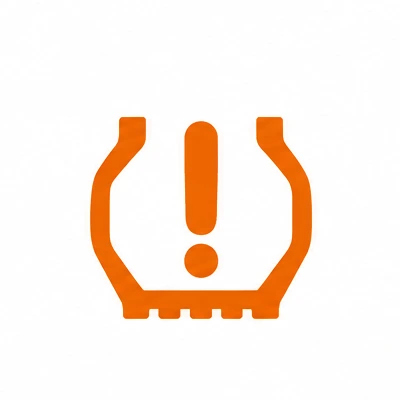
The under-inflation warning lamp comes on and stays on, with an audible signal and, depending on equipment, a message. Depending on equipment, a symbol or message also shows which tyre has the problem.
- Slow down: reduce speed immediately and avoid excessive steering movements and sudden braking.
- Stop: pull over as soon as it is safe to do so.
- Deal with the tyre: choose the option below that fits your situation.
- Puncture: use the temporary puncture repair kit or the spare wheel, depending on equipment.
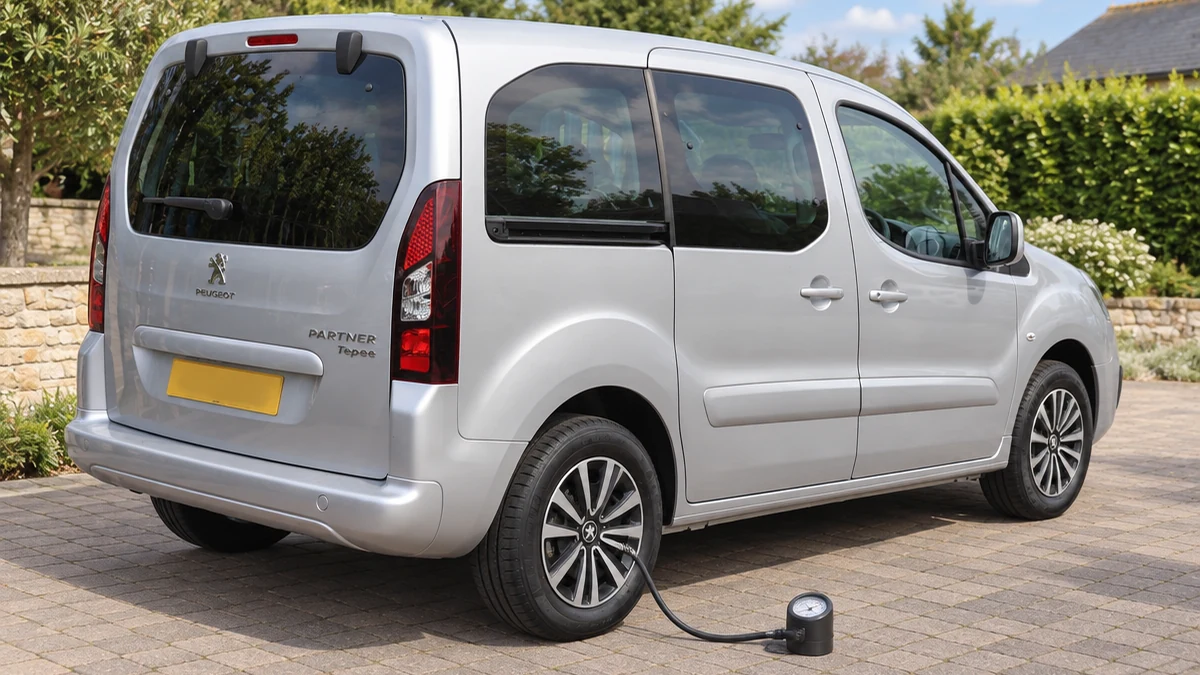
- Compressor available: with a compressor, such as the one in the temporary puncture repair kit, check the pressures of the four tyres when cold.
- No immediate check possible: drive carefully at reduced speed.
A loss of pressure does not always make the tyre bulge visibly, so do not rely on a visual check alone. The alert stays on until the tyre or tyres concerned are reinflated, repaired or replaced. The spare wheel, whether a space-saver or a steel rim type, does not have a sensor.
Operating fault
If the under-inflation warning lamp flashes and then stays on, together with the Service warning lamp and, depending on equipment, a message, the system has a fault. Tyre pressure monitoring is then no longer assured. This alert also appears when one or more wheels have no sensor, for example a space-saver or steel spare wheel.
Go to a PEUGEOT dealer or a qualified workshop to have the system checked or, after a puncture repair, to have the original wheel with its sensor refitted.
Tyre under-inflation detection with reinitialisation
This system monitors the pressure in all four tyres once the vehicle is moving. It compares information from the wheel speed sensors with reference values. These reference values must be reinitialised after every tyre pressure adjustment or wheel change. The system triggers an alert as soon as it detects a drop in the pressure of one or more tyres.
The system does not replace your own vigilance. You still need to check the tyre pressures, including the spare wheel, every month and before a long journey. Under-inflated tyres impair handling, extend braking distances and cause early tyre wear, particularly with heavy loads, at high speeds or on long journeys. They also increase fuel consumption.
- Where to find the pressures: on the tyre pressure label (see Identification markings below).
- When to check: with the tyres cold, meaning the vehicle has been stopped for 1 hour or has covered less than 6 miles (10 km) at moderate speeds.
- If the tyres are hot: add 0.3 bar to the pressures shown on the label.
Under-inflation alert
The under-inflation warning lamp comes on and stays on, with an audible signal and, depending on equipment, a message.
- Slow down: reduce speed immediately and avoid excessive steering movements and sudden braking.
- Stop: stop the vehicle as soon as it is safe to do so.
- Deal with the tyre: choose the option below that fits your situation.
- Compressor available: with a compressor, such as the one in the temporary puncture repair kit, check the pressures of the four tyres when cold.
- No immediate check possible: drive carefully at reduced speed.
- Puncture: use the temporary tyre repair kit or the spare wheel, depending on equipment.
A loss of pressure does not always make the tyre bulge visibly, so do not settle for a visual check. The alert stays active until the system is reinitialised.
Reinitialisation
Reinitialise the system after adjusting the pressure of one or more tyres and after changing one or more wheels. Before you do, make sure all four tyres are at the correct pressures for how you are using the vehicle, as shown on the tyre pressure label. The system gives no warning if a pressure is wrong at the time of reinitialisation, so the alert can only be relied on if all four tyres were correctly inflated when you reinitialised it.
Reinitialise with the ignition on and the vehicle stationary. Use the vehicle configuration menu if your car has a screen, or the button on the dashboard if it does not.
Screen A
- Open the menu: press the MENU button for the main menu.
- Vehicle settings: use the arrow buttons to select "Veh config", then press OK.
- Tyre menu: use the arrow buttons to select "Tyre inflation", then press OK. A message asks you to confirm the request.
- Confirm: press OK.
Screen C
- Open the menu: press the MENU button for the main menu.
- Settings: use the arrow buttons to select "Personalisation-configuration", then press OK.
- Vehicle parameters: use the arrow buttons to select "Define the vehicle parameters", then press OK.
- Reinitialise: use the arrow buttons to select "Tyre pressures", then "Reinitialisation", then press OK. A message confirms the reinitialisation.
Touch screen
- Open the menu: press the MENU button.
- Driving menu: select "Driving".
- Start the request: on the secondary page, select "Under-inflation initialisation". A message asks you to confirm the request.
- Confirm: select "Yes" or "No", then confirm. A message confirms the reset.
Dashboard button
- Hold the button: press and hold the reinitialisation button on the dashboard. A high-pitched audible signal confirms the reinitialisation. A low-pitched signal means it has not worked.
The system then uses the new pressures as its reference values. You do not need to reinitialise after fitting or removing snow chains.
Operating fault
If the under-inflation warning lamp flashes and then stays on, together with the Service warning lamp, the system has a fault and under-inflation monitoring is no longer assured. Have the system checked by a PEUGEOT dealer or a qualified workshop. After any work on the system, check the pressures of all four tyres and reinitialise it.
Identification markings