Peugeot 508 II 12V Battery and Jump Starting
Hello and welcome. This article covers the 12 V battery on the Peugeot 508 II (2018-2023): reaching it, jump starting, charging with a charger, and disconnecting and reconnecting it. We also look at t
Peugeot 508 II (2018-2023) under-inflation detection: what the alert means, how to reinitialise the system and where to find the tyre pressure label.
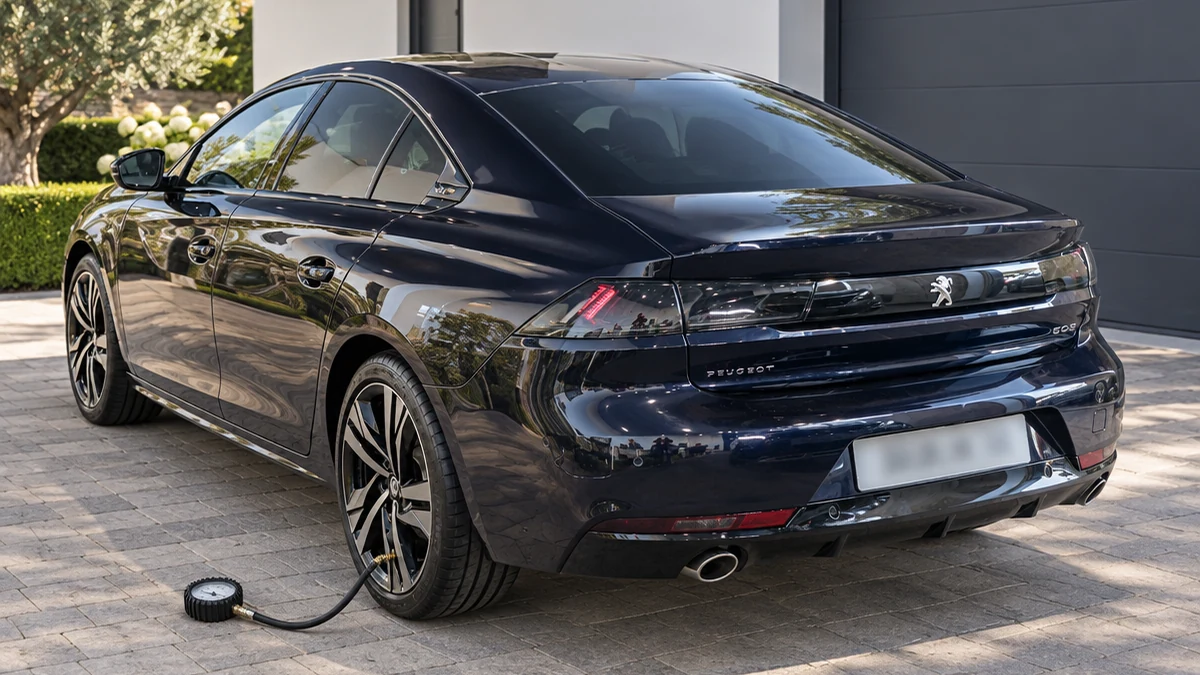
Hello and welcome. This article looks at the under-inflation detection system on the Peugeot 508 II (2018-2023). We cover what the alert means, reinitialising the system after adjusting pressures, and where to find the tyre pressure label and other identification markings.
Scroll the table sideways.
| Section | In short |
|---|---|
| Under-inflation detection | How the system works and when to check pressures |
| Under-inflation alert | What to do when the warning lamp comes on |
| Reinitialisation | Reset the system after adjusting pressures or changing wheels |
| Malfunction | Monitoring stops, have the system checked |
| Identification markings | Where to find the VIN and tyre pressure label |
The under-inflation detection system alerts you when one or more tyres have a drop in pressure. It raises the alert while the car is moving, not when it is stationary.
The system compares the information from the wheel speed sensors with reference values. These reference values must be reinitialised every time you adjust the tyre pressures or change a wheel. The system uses the last values stored during reinitialisation, so the tyre pressures must be correct when you do it. This is your responsibility as the driver.
The system can never replace your own vigilance, and you still need to check the tyre pressures regularly, including the spare wheel, especially before a long journey. Driving with under-inflated tyres, particularly with a heavy load, at high speed or on a long journey:
Checking tyre pressures: check them monthly when the tyres are cold, meaning the car has been stopped for 1 hour or has done a journey of less than 6 miles (10 km) at moderate speeds. If the tyres are not cold, add 0.3 bar to the pressures shown on the label.
You will find the correct pressures for your car on the tyre pressure label, described in the Identification markings section below. You do not need to reinitialise the system after fitting or removing snow chains.
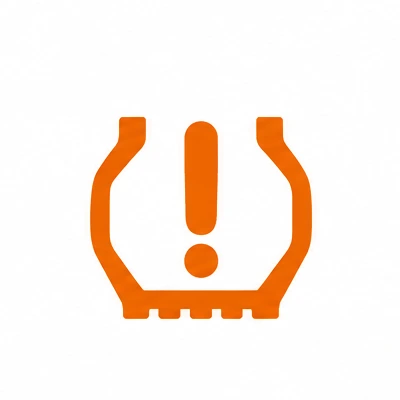
An under-inflation alert is shown by the warning lamp staying on, together with an audible signal and, depending on equipment, a message.
A loss of pressure does not always cause visible deformation of the tyre, so do not rely on a visual check alone. Be aware that the alert is not triggered immediately after a sudden loss of pressure or a blow-out, because analysing the wheel speed sensor readings can take several minutes. The alert may also be delayed below 25 mph (40 km/h) or in a sporty driving mode, and driving too slowly may not give optimum monitoring.
The alert stays active until you reinitialise the system.
You must reinitialise the system after any adjustment to the pressure of one or more tyres, and after changing one or more wheels.
The system does not tell you if a pressure is incorrect when you reinitialise it, so always check the four tyres first.
If the system develops a fault, warning lamps light up on the instrument panel and a message appears with an audible signal. Tyre under-inflation monitoring is then no longer carried out, so have the system checked by a PEUGEOT dealer or a qualified workshop.
Fitting a "space-saver" type spare wheel may also suspend tyre pressure monitoring. In this case, the malfunction warning lamp comes on and goes off once the spare has been replaced by a wheel of the same size as the others, the pressure readjusted and the system reinitialised.
Your 508 carries several markings used to identify the car.
Scroll the table sideways.
| Marking | What it is | Where to find it |
|---|---|---|
| A | Vehicle Identification Number (VIN) | Under the bonnet, stamped on the chassis |
| B | Vehicle Identification Number (VIN) | On the dashboard, on an adhesive label visible through the windscreen |
| C | Manufacturer's label | On the right-hand door |
| D | Tyres/paint code label | On the driver's door |
The manufacturer's label shows:
The tyres/paint code label shows:
Your car may have been fitted from new with tyres that have higher load and speed indices than those on the label, and this does not affect the tyre pressures (on cold tyres). If you change the type of tyres, contact a PEUGEOT dealer for the tyre fits approved for your car.
The tyres/paint code label is on the driver's door. It shows the tyre pressures unladen and laden, as well as the spare tyre inflation pressure.
Check that all four tyres are at the correct pressures, then with the car stationary reinitialise the system using the Driving/Vehicle menu on the touch screen.
The alert is not triggered immediately after a sudden loss of pressure or a blow-out, because analysing the wheel speed sensor readings can take several minutes. It may also be delayed below 25 mph (40 km/h) or in a sporty driving mode.
No. The system does not need to be reinitialised after fitting or removing snow chains.
The under-inflation detection system is a useful extra warning, but it does not replace your own checks. Check your 508's tyre pressures monthly when cold, use the values on the driver's door label, and reinitialise the system every time you adjust a pressure or change a wheel.
To find out what the other lamps on your dashboard mean, read our guides to the Peugeot 508 red warning lights, Peugeot 508 orange warning lights and Peugeot 508 green and blue indicator lamps.
Don't forget to follow us on Instagram for more Peugeot guides!
This is an independent guide, not an official Peugeot publication. Check your vehicle’s own manual before carrying out any work.
Related guides: Peugeot 508 model guides.
Cover adapted from a photograph by Vauxford — Wikimedia Commons, CC BY-SA 4.0 (AI edited).
Hello and welcome. This article covers the 12 V battery on the Peugeot 508 II (2018-2023): reaching it, jump starting, charging with a charger, and disconnecting and reconnecting it. We also look at t
In the 508, the instrument panel and the 10-inch touchscreen work together. The trip computer data sits in front of you, while apps such as Energy live on the central screen. This guide explains how to check your trip...
The Peugeot 508's instrument panel constantly reports on the car's health: when the next service is due, whether the oil level is right, how hot the engine is and, on BlueHDi diesels, how far you can go before the...