Green and blue Peugeot 208Updated 4 min read

Peugeot 208 I Indicators: Green and Blue Warnings (2012-2015)

What every green and blue warning lamp on the Peugeot 208 I (2012-2015) means, from indicators and headlamps to Stop & Start and automatic wiping.

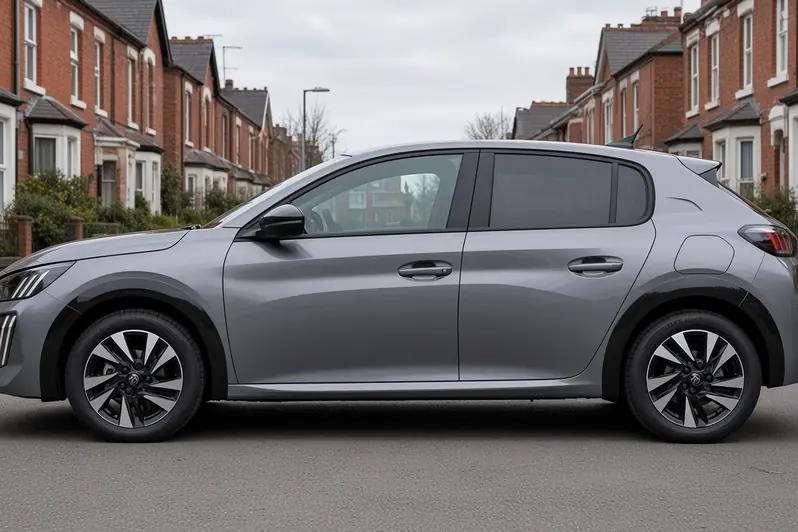
Peugeot 208 second generation facelift in Selenium Grey, side view on a British terraced street, the whole hatchback visible

Green and blue lamps on your instrument panel are operation indicator lamps. When one comes on, it simply confirms that the system concerned is working. They are not fault warnings, and most just show you how you have set a control.

This guide covers the Peugeot 208 I (2012-2015), based on handbook edition ed01-14 for vehicles produced from 1 May 2014. Some lamps depend on the version or equipment of your car, so you may not see all of them.

Quick Reference

Scroll the table sideways.

WarningUrgencyIn short
Left-hand direction indicatorInformation / statusLeft indicator is on
Right-hand direction indicatorInformation / statusRight indicator is on
SidelampsInformation / statusSidelamps are switched on
Dipped beam headlampsInformation / statusDipped beam headlamps are on
Main beam headlampsInformation / statusMain beam headlamps are on
Front foglampsInformation / statusFront foglamps are switched on
Stop & StartInformation / statusEngine in STOP mode, or mode unavailable
Automatic wipingInformation / statusAutomatic front wiping is switched on

Left-hand direction indicator

Left-hand direction indicator warning lamp icon

This lamp shows an arrow pointing left.

It flashes, and you hear a buzzer, when you have pushed the lighting stalk down to signal left.

What to do:

  • No action is needed. The lamp just confirms that you are signalling left.

Right-hand direction indicator

Right-hand direction indicator warning lamp icon

This lamp shows an arrow pointing right.

It flashes, and you hear a buzzer, when you have pushed the lighting stalk up to signal right.

What to do:

  • No action is needed. The lamp just confirms that you are signalling right.

Sidelamps

Sidelamps warning lamp icon

This lamp shows the sidelamps symbol.

It stays on steadily while the lighting stalk is in the "Sidelamps" position.

What to do:

  • No action is needed. The lamp just confirms that your sidelamps are on.

Dipped beam headlamps

Dipped beam headlamps warning lamp icon

This lamp shows the dipped beam headlamps symbol.

It stays on steadily while the lighting stalk is in the "Dipped beam headlamps" position.

What to do:

  • No action is needed. The lamp just confirms that your dipped beam headlamps are on.

Main beam headlamps

Main beam headlamps warning lamp icon

This lamp shows the main beam headlamps symbol.

It stays on steadily when you have pulled the lighting stalk towards you to switch on main beam.

What to do:

  • To go back to dipped beam headlamps, pull the lighting stalk towards you again.

Front foglamps

Front foglamps warning lamp icon

This lamp shows the front foglamps symbol.

It stays on steadily when you have switched on the front foglamps using the ring on the lighting control stalk.

What to do:

  • To switch off the front foglamps, turn the ring on the lighting control stalk rearwards twice.

Stop & Start

Stop & Start warning lamp icon

This lamp shows the Stop & Start symbol, and it can light up in two ways.

If it stays on steadily, the Stop & Start system has put the engine into STOP mode because the car has stopped, for example at red lights or in a traffic jam.

If it flashes for a few seconds and then goes off, either STOP mode is temporarily unavailable or START mode has been triggered automatically.

What to do:

If the lamp is on steadily:

  • Simply carry on as normal. As soon as you want to move off, the lamp goes off and the engine restarts automatically in START mode.

If the lamp flashes for a few seconds and then goes off:

  • See the "Stop & Start" section of your handbook for more on the special cases that affect STOP mode and START mode.

Automatic wiping

Automatic wiping warning lamp icon

This lamp shows the automatic wiping symbol.

It stays on steadily when you have pushed the wiper control downwards, which means automatic front wiping is switched on.

What to do:

  • To switch off automatic wiping, push the wiper control stalk downwards again or move it to another position.

If You're Not Sure

If a lamp comes on and you are not sure why, check the instrument panel or screen for a message explaining it. If you have any problems, contact a PEUGEOT dealer or a qualified workshop.

Green and blue lamps are there to reassure you that a system is doing what you asked. Once you know what each one means, you can tell at a glance how your Peugeot 208 is set up.

Related guides: Peugeot 208 I (2012-2015) red warning lights, Peugeot 208 I (2012-2015) orange warning lights, Peugeot 208 Warning Lamps: Blue and Green Warnings (general guide) and all Peugeot 208 guides.
Related guides

Warning lights ·

How to Check Peugeot 208 Warning Lights and Displays

Your 208's dashboard and touchscreen can tell you far more than most owners ever look at: trip data, fuel or energy use, the remaining range and, on the e-208, how energy is flowing between the battery and the motor...

Warning lights ·

Peugeot 208 Warning Lamps: Blue and Green Warnings

Not every lamp on your Peugeot 208's dashboard is a warning. Green, blue and white/grey symbols mostly confirm that something is switched on: your lights, a driver assistance system or a hybrid feature. Knowing them...