Orange Peugeot 2008Updated 13 min read

Peugeot 2008 II Indicators: Orange Warnings (2025-present)

What each orange warning light on the Peugeot 2008 II (2025-present) means, from AdBlue and particle filter to airbags, with clear steps on what to do.

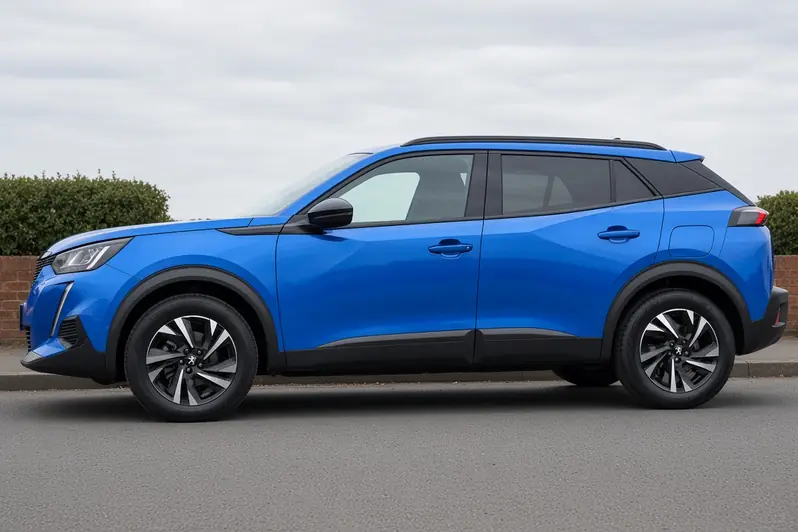
Peugeot 2008 second generation facelift in Vertigo Blue, side view on a British suburban street, the whole small SUV visible

Orange warning lights on your Peugeot 2008 tell you that a system has been switched off, needs your attention or has developed a fault. If a red or orange light stays on, there may be a fault that needs further investigation. Some orange lights also come on for a few seconds when you switch on the ignition and should go off once the engine is running.

This guide covers the second-generation Peugeot 2008 (2025-present), based on handbook edition ed05-25 for vehicles produced from 02/05/2025. Some lights only appear on certain versions or with certain equipment, so you may not see every one on your car.

Quick Reference

Scroll the table sideways.

WarningUrgencyIn short
Engine preheating (Diesel)Action needed from youWait for the light before starting
Particle filter (Diesel)Action needed from youFilter nearly full or additive low
Tortoise mode with limited driving range (BEV)Action needed from youBattery critical, charge the car now
Engine self-diagnostic system (MHEV)Get it checked soonEngine management fault
AdBlue® (BlueHDi)Action needed from youAdBlue® range is running down
SCR emissions control system (BlueHDi)Get it checked soonEmissions control system malfunction
Automatic functions deactivated (electric parking brake)Information / statusParking brake automatic functions are off
Malfunction (with electric parking brake)Stop safely, get helpElectric parking brake is faulty
Collision Risk Alert/Active Safety BrakeGet it checked soonSystem off, braking or faulty
Anti-lock braking system (ABS)Get it checked soonABS fault, normal braking remains
Power steeringGet it checked soonPower steering fault
Dynamic stability control /Anti-slip regulation (DSC)Information / statusDSC/ASR off or regulating
Emergency brake malfunction (with electric parking brake)Get it checked soonEmergency braking not at full performance
Hill start assistGet it checked soonHill start assist fault
Road signs recognitionGet it checked soonRoad sign recognition fault
Lane keeping assistGet it checked soonLane warning, standby, blind or faulty
Driver Attention Warning by Camera (Distraction detection)Get it checked soonSystem off, faulty or camera masked
Lane positioning assistGet it checked soonComes on with Service light
AirbagsGet it checked soonAirbag or pretensioner fault
Front passenger airbag (ON)Information / statusPassenger airbag on
Front passenger airbag (OFF)Information / statusPassenger airbag off
Parking sensorsInformation / statusObstacle detected, fault or sensor blind
Under-inflationGet it checked soonLow tyre pressure or system fault
Stop & Start (MHEV)Information / statusStop & Start switched off
Automatic headlight dippingGet it checked soonFunction or camera malfunction
Rear foglightsInformation / statusRear foglights are on
Service spanner flashingGet it checked soonService interval exceeded

Engine preheating (Diesel)

Engine preheating (Diesel) warning lamp icon

The orange engine preheating light appears on your instrument panel. It can come on for a short time when you switch on the ignition, up to about 30 seconds in severe weather, if the weather and engine temperature mean the engine needs preheating.

What to do:

  • Wait until the light goes off before you start the engine.

Particle filter (Diesel)

Particle filter (Diesel) warning lamp icon

The orange particle filter light appears on your instrument panel. It stays on with an audible signal and a message, either because the filter is nearly saturated or because the additive level for the filter is too low.

What to do:

If the message warns that the filter risks becoming blocked:

  • As soon as traffic conditions allow, drive at 37 mph (60 km/h) or more, with the engine above 2,500 rpm.
  • Keep going until the light goes off, which means the filter has regenerated.

If the message says the additive level is too low:

  • Have the particle filter additive topped up without delay.

Tortoise mode with limited driving range (BEV)

Tortoise mode with limited driving range (BEV) warning lamp icon

The orange tortoise light appears on your instrument panel. When it is steady, the traction battery charge is critically low and the motor's power gradually reduces.

What to do:

When the light comes on:

  • Put the car on charge.

If the light stays on:

  • There may be a fault that needs further investigation, so have it looked into.

Engine self-diagnostic system (MHEV)

Engine self-diagnostic system (MHEV) warning lamp icon

The orange engine self-diagnostic light appears on your instrument panel. When it flashes, the engine management system has a fault.

What to do:

  • The handbook gives no specific action for this light here, but a flashing fault light like this needs further investigation.

AdBlue® (BlueHDi)

AdBlue® (BlueHDi) warning lamp icon

The orange AdBlue® light appears on your instrument panel. It stays on when you switch on the ignition, with an audible signal and a message showing your remaining range, which is between 500 and 62 miles (800 and 100 km).

What to do:

  • Top up the AdBlue® promptly, or have it topped up for you.

SCR emissions control system (BlueHDi)

SCR emissions control system (BlueHDi) warning lamp icon

The orange SCR light appears on your instrument panel. It stays on when you switch on the ignition, with an audible signal and a message, to show that a malfunction of the SCR emissions control system has been detected. The alert disappears once exhaust emissions are back to normal levels.

What to do:

  • The handbook gives no specific action here: the alert clears by itself once emissions return to normal.

Automatic functions deactivated (electric parking brake)

Automatic functions deactivated (electric parking brake) warning lamp icon

The orange electric parking brake light appears on your instrument panel. When it is steady, the automatic application (when you switch off the engine) and automatic release (when you accelerate) functions are deactivated.

What to do:

  • The handbook gives no specific action for this light.

Malfunction (with electric parking brake)

Malfunction (with electric parking brake) warning lamp icon

The orange parking brake malfunction light appears on your instrument panel. It stays on with the message "Parking brake fault", meaning the electric parking brake is faulty and its manual and automatic functions may not work.

What to do:

  • When stationary, pull the electric parking brake control and hold it for about 7 to 15 seconds, until the indicator light comes on.
  • If that does not work, park on a level surface.
  • With a manual gearbox, also engage a gear.

Collision Risk Alert/Active Safety Brake

Collision Risk Alert/Active Safety Brake warning lamp icon

The orange Collision Risk Alert/Active Safety Brake light appears on your instrument panel. When steady with a message, the system has been switched off via the touch screen. When flashing, the system is briefly braking the car to reduce the speed of a collision with the vehicle in front; when steady with a message and an audible signal, or steady on its own, the system has a fault.

What to do:

If it is steady with a message only:

  • The system is switched off via the touch screen.

If it is flashing:

  • The system is acting. See the Driving section of the handbook for more detail.

If it is steady with a message and an audible signal:

  • Have the fault investigated.

If it is steady on its own:

  • If it comes on again after you switch the engine off and restart it, have the fault investigated.

Anti-lock braking system (ABS)

Anti-lock braking system (ABS) warning lamp icon

The orange ABS light appears on your instrument panel. When steady, the anti-lock braking system has a fault, although the car keeps conventional braking.

What to do:

  • Drive carefully at a moderate speed.
  • Have the fault investigated.

Power steering

Power steering warning lamp icon

The orange power steering light appears on your instrument panel. When steady, the power steering has a fault.

What to do:

  • Drive carefully at a moderate speed.
  • Have the fault investigated.

Dynamic stability control /Anti-slip regulation (DSC)

Dynamic stability control /Anti-slip regulation (DSC) warning lamp icon

The orange DSC light appears on your instrument panel. When steady, the DSC/ASR system is deactivated; it switches back on automatically when you restart the car and above about 31 mph (50 km/h). When flashing, the system is regulating because of a loss of grip or trajectory.

What to do:

If the light is steady:

  • Below 31 mph (50 km/h), you can switch the system back on manually if you wish.

If the light is flashing:

  • The handbook gives no specific action for this case.

Emergency brake malfunction (with electric parking brake)

Emergency brake malfunction (with electric parking brake) warning lamp icon

The orange emergency brake malfunction light appears on your instrument panel. It stays on with the message "Parking brake fault", meaning emergency braking does not deliver optimal performance.

What to do:

  • If automatic release is not available, release the parking brake manually.
  • Otherwise, have the fault investigated.

Hill start assist

Hill start assist warning lamp icon

The orange hill start assist light appears on your instrument panel. It stays on with the message "Anti rollback system fault", meaning the system has a fault.

What to do:

  • Have the fault investigated.

Road signs recognition

Road signs recognition warning lamp icon

The orange road signs recognition light appears on your instrument panel. When steady with a message and an audible signal, the system has a fault. It can also stay on with a driving assistance message, for which the handbook gives no further detail.

What to do:

If it is steady with a message and an audible signal:

  • Have the fault investigated.

If it is steady with a driving assistance message:

  • The handbook gives no specific action for this case.

Lane keeping assist

Lane keeping assist warning lamp icon

The orange lane keeping assist light appears on your instrument panel. It flashes when you are about to cross a broken lane line without indicating, and the system then corrects your path if it detects a risk of unintentionally crossing a line or hard shoulder (depending on version). When steady, the system is deactivated or on standby, its sensor is masked (shown with a message), or it has a fault.

What to do:

If it is flashing:

  • The handbook gives no specific action. See the Driving section for more detail.

If it is steady with the message "Driving Assistance Sensor blind: Clean sensor, see User Manual":

  • Stop as soon as it is safe and switch off the ignition.
  • Clean the front camera.

If it is steady without that message:

  • The system has been deactivated, placed on standby or has a fault. The handbook gives no specific action.

Driver Attention Warning by Camera (Distraction detection)

Driver Attention Warning by Camera (Distraction detection) warning lamp icon

The orange Driver Attention Warning light appears on your instrument panel. When steady on its own, the system is deactivated; with a message and an audible signal, it has a fault; with a sensor blind message, the sensor is masked.

What to do:

If it is steady with a message and an audible signal:

  • Have the fault investigated.

If it is steady with the message "Driving Assistance Sensor blind: Clean sensor, see User Manual":

  • Stop as soon as it is safe and switch off the ignition.
  • Clean the front camera.

Lane positioning assist

Lane positioning assist warning lamp icon

The orange lane positioning assist light appears on your instrument panel. It stays on together with the Service warning light; the handbook gives no further detail for this case.

What to do:

  • The handbook gives no specific action for this light.

Airbags

Airbags warning lamp icon

The orange airbag light appears on your instrument panel. When steady, one of the airbags or seat belt pyrotechnic pretensioners is faulty.

What to do:

  • Have the fault investigated.

Front passenger airbag (ON)

Front passenger airbag (ON) warning lamp icon

The orange passenger airbag ON light appears on your instrument panel. When steady, the front passenger airbag is activated and its control is set to "ON".

What to do:

  • Do not fit a rearward-facing child seat on the front passenger seat, as there is a risk of serious injury.

Front passenger airbag (OFF)

Front passenger airbag (OFF) warning lamp icon

The orange passenger airbag OFF light appears on your instrument panel. When steady, the front passenger airbag is deactivated and its control is set to "OFF".

What to do:

  • You can fit a rearward-facing child seat on the front passenger seat, unless the Airbags warning light is on.

Parking sensors

Parking sensors warning lamp icon

The orange parking sensors light appears on your instrument panel. It flashes when the system detects an obstacle, and stays on with a message and an audible signal if the system has a fault. It can also stay on with a sensor blind message.

What to do:

If it is steady with a message and an audible signal:

  • Have the fault investigated.

If it is flashing, or steady with the message "Parking Assistance Sensor blind: Clean sensor, see User Manual":

  • The handbook gives no specific action for these cases.

Under-inflation

Under-inflation warning lamp icon

The orange under-inflation light appears on your instrument panel. When steady, the pressure in one or more tyres is too low. If it flashes then stays on with the Service warning light, the tyre pressure monitoring system is faulty and under-inflation is no longer monitored.

What to do:

If the light is steady:

  • Check the tyre pressures as soon as possible.
  • Reinitialise the detection system after adjusting the pressures.

If it flashes then stays on with the Service warning light:

  • Check the tyre pressures as soon as possible.
  • Have the fault investigated.

Stop & Start (MHEV)

Stop & Start (MHEV) warning lamp icon

The orange Stop & Start light appears on your instrument panel. When steady with a message, you have switched the system off manually; when steady on its own, it has switched itself off automatically.

What to do:

If it is steady with a message:

  • Expect the engine not to switch off at the next traffic stop.

If it is steady on its own:

  • Expect the engine not to switch off at the next traffic stop if the outside temperature is below 0°C or above +35°C.

Automatic headlight dipping

Automatic headlight dipping warning lamp icon

The orange automatic headlight dipping light appears on your instrument panel. It stays on with an audible signal and a message when a function or camera malfunction is detected.

What to do:

  • Have the malfunction investigated.

Rear foglights

Rear foglights warning lamp icon

The orange rear foglights light appears on your instrument panel. When steady, it confirms the rear foglights are on.

What to do:

  • No action is needed: the light simply confirms the rear foglights are on.

Service spanner flashing

Service spanner flashing warning lamp icon

The orange service spanner appears on your instrument panel. If it flashes and then stays on when you switch on the ignition, the servicing interval has been exceeded.

What to do:

  • Have your car serviced as soon as possible.

If You're Not Sure

If you are not sure what a light means, stay calm, stop somewhere safe when you can and check the message on the screen. Remember that if a red or orange light stays on, there may be a fault that needs further investigation, so have it looked into rather than ignoring it.

Most orange lights on your Peugeot 2008 are a nudge rather than an emergency, but they are worth acting on promptly. Keep this guide handy so you can quickly see what each light means and what to do next.

Related guides: Peugeot 2008 II (2025-present) red warning lights, Peugeot 2008 II (2025-present) green and blue lights, Peugeot 2008 Indicators: Orange Warnings (general guide) and all Peugeot 2008 guides.
Related guides

Warning lights ·

Peugeot 2008 Warning Lamps: Blue and Green Warnings

Not every lamp on your Peugeot 2008's dashboard is a warning. Green, blue and white/grey symbols mostly confirm that something is switched on: your lights, a driver assistance system or a hybrid feature. Knowing them...

Warning lights ·

Peugeot 2008 Indicators: Orange Warnings

Orange (amber) warning lamps on a Peugeot 2008 rarely mean you have to stop immediately, but they shouldn't be ignored. Most tell you that a system has developed a fault, has switched itself off or needs some attention...

Warning lights ·

Peugeot 2008 Indicators: Red Warnings

A red warning lamp on your Peugeot 2008's instrument panel means one thing: deal with it now. Some red lamps mean you should stop as soon as it's safe; others, like an unfastened seat belt or an open door, just need...