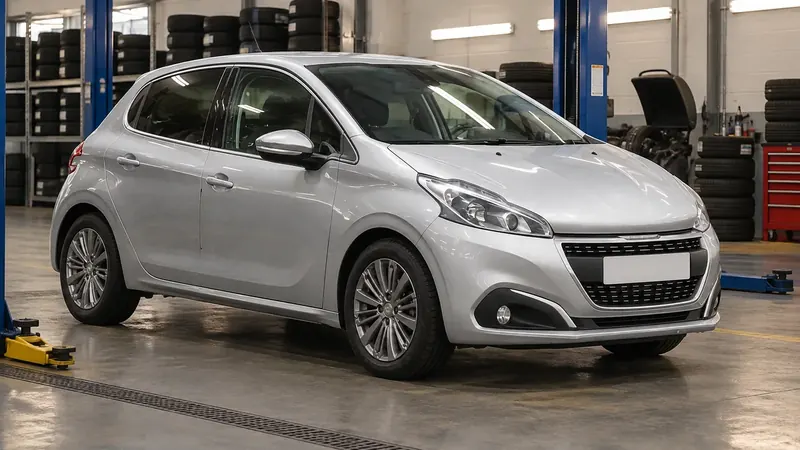
Peugeot 208Updated 6 min read

Peugeot 208 Tyre Pressure and Under-Inflation Detection (2015-present)

How the Peugeot 208 under-inflation detection system works, what to do when the alert comes on, how to reinitialise it and where to find the tyre label.

A first-generation facelift Peugeot 208 stopped on a mountain-road shoulder with the bonnet raised — maintenance guide cover

Your Peugeot 208 can warn you when one or more tyres lose pressure. This guide explains how the under-inflation detection system works, what to do when the alert comes on, how to reinitialise the system and where to find the tyre pressure label and the other identification markings on your car.

Quick Reference

Scroll the table sideways.

SectionIn short
Under-inflation detectionHow the system monitors pressure in all four tyres
Under-inflation alertSlow down, stop safely and check the tyres
ReinitialisationReset after any pressure adjustment or wheel change
MalfunctionFlashing lamp plus Service lamp means system fault
Identification markingsWhere to find the VIN and tyre pressure label

Under-inflation detection

The under-inflation detection system automatically monitors the pressure in all four tyres once the car is moving. It compares information from the wheel speed sensors with reference values, and triggers an alert as soon as it detects a drop in pressure in one or more tyres.

The reference values must be reinitialised after every tyre pressure adjustment or wheel change.

The system does not replace your own vigilance as the driver. You still need to check the tyre pressures yourself:

  • How often: every month and before a long journey, including the spare wheel.
  • When cold: check the pressures with the tyres cold, meaning the car has been stopped for 1 hour or has done a journey of less than 6 miles (10 km) at moderate speeds.
  • When hot: if the tyres are hot, add 0.3 bar to the pressures shown on the label.
  • Where to find the values: the tyre pressure specifications for your car are on the tyre pressure label, described under Identification markings below.

Driving on under-inflated tyres impairs handling, extends braking distances and causes early tyre wear, especially with heavy loads, at high speeds or on long journeys. It also increases fuel consumption.

Under-inflation alert

The alert is shown by the warning lamp staying on, an audible signal and, depending on equipment, a message on the screen.

  1. Slow down: reduce your speed immediately.
  2. Drive smoothly: avoid excessive steering movements and sudden braking.
  3. Stop: stop the car as soon as it is safe to do so.

A loss of pressure does not always make the tyre bulge visibly, so do not rely on a visual check alone. Then do one of the following:

  • Puncture: use the temporary puncture repair kit or the spare wheel, depending on equipment.
  • With a compressor: if you have one, such as the compressor in the temporary puncture repair kit, check the pressures of all four tyres when cold.
  • If you cannot check straight away: drive carefully at reduced speed.

The alert stays active until the system is reinitialised, and you can only rely on it if the system was reinitialised with all four tyre pressures correctly adjusted.

Reinitialisation

You must reinitialise the system after adjusting the pressure of one or more tyres, and after changing one or more wheels.

Before you do, make sure all four tyre pressures are correct for how you are using the car and match the tyre pressure label. The system does not warn you if a pressure is wrong at the time of reinitialisation, because it saves the new pressures as its reference values.

Without touch screen:

  1. Prepare: switch on the ignition with the car stationary.
  2. Press: press the reinitialisation button for about 3 seconds, then release it.
  3. Confirm: an audible signal confirms the reinitialisation.

With touch screen:

  1. Prepare: switch on the ignition with the car stationary.
  2. Reinitialise: carry out the reinitialisation in the Driving/Vehicle menu of the touch screen.

You do not need to reinitialise the system after fitting or removing snow chains.

Malfunction

If the under-inflation warning lamp flashes and then stays on, together with the Service warning lamp, the system has a fault. Under-inflation monitoring of your tyres is then no longer assured.

Have the system checked by a PEUGEOT dealer or a qualified workshop. After any work on the system, all four tyre pressures must be checked and the system reinitialised.

Identification markings

Your 208 has several visible markings for identifying the car.

Scroll the table sideways.

MarkingWhat it isWhere to find it
AVehicle Identification Number (VIN)Under the bonnet, engraved on the bodywork near the suspension damper mounting
BVehicle Identification Number (VIN)On a label on the dashboard, visible through the windscreen
CManufacturer's labelTamperproof label on the front pillar, driver's side
DTyre/paint labelOn the centre pillar, driver's side

The manufacturer's label shows:

  • the name of the manufacturer
  • the European Whole Vehicle Type Approval number
  • the Vehicle Identification Number (VIN)
  • the maximum authorised vehicle weight (the Gross Vehicle Weight or GVW)
  • the maximum authorised vehicle + trailer weight (the Gross Train Weight or GTW)
  • the maximum weight on the front axle
  • the maximum weight on the rear axle

The tyre/paint label shows:

  • the tyre pressures, unladen and laden
  • the tyre specification, made up of the dimensions and type as well as the load and speed indices
  • the spare tyre pressure
  • the paint colour code

Your car may have been fitted from new with tyres with higher load and speed indices than those on the label. This does not affect the inflation pressure.

Frequently Asked Questions

Why is the tyre pressure warning light on my Peugeot 208 staying on?

The lamp stays on when the system detects a drop in pressure in one or more tyres. The alert remains active until you reinitialise the system, so you need to correct the pressures and then reinitialise it.

How do I reset the tyre pressure warning on a Peugeot 208?

With the ignition on and the car stationary, press the reinitialisation button for about 3 seconds and release it, or use the Driving/Vehicle menu if your car has a touch screen. Make sure all four tyre pressures are correct before you do this.

Where is the tyre pressure label on a Peugeot 208?

The tyre/paint label is on the centre pillar on the driver's side. It shows the tyre pressures unladen and laden, the spare tyre pressure and the paint colour code.

Do I need to reset the tyre pressure system after fitting snow chains?

No, the system does not have to be reinitialised after fitting or removing snow chains. You do need to reinitialise it after any pressure adjustment or wheel change.

The under-inflation detection system is a useful backup, but it only works properly if you keep your tyres at the right pressures and reinitialise it each time you adjust them. Check your tyres every month and before long journeys, and you will keep your Peugeot 208 safer and more economical.

More Peugeot 208 Guides

If the Service lamp comes on with the under-inflation lamp, see our guide to Peugeot 208 orange warning lights, and for the more urgent warnings, read about Peugeot 208 red warning lights.

Don't forget to follow us on Instagram for more Peugeot guides!

Related guides: Peugeot 208.

Related guides

Guide ·

Peugeot 208 AdBlue Refilling (2015-present)

BlueHDi Diesel engines on the Peugeot 208 use AdBlue to clean up their exhaust gases. This guide explains what the SCR system does, how far you can drive on a tank of AdBlue, how to store and handle the fluid s…

Guide ·

Peugeot 208 12 V Battery and Jump Starting (2015-present)

A flat 12 V battery is one of the most common reasons a car will not start. This guide explains how to reach the battery on your Peugeot 208, how to start the engine using another battery or a booster, how to c…

Guide ·

Peugeot 208 Fuse Box and Fuses (2015-present)

Fuses protect the electrical equipment on your Peugeot 208. If something electrical stops working, a failed fuse may be the cause. This guide explains where the fuse boxes and extraction tweezers are, how to ch…